

ULTIMATE
Feature Deprecation
Please note that the Cluster Events feature, was deprecated in qibb v1.43.0 and will be removed in a future release.
Ultimate customers can retrieve this information if a dedicated, supported monitoring stack is in place.
The platform provides cluster events. A cluster event is a status change within a cluster that the Cluster Manager detects and processes. Events can be alarms for critical errors or informational messages showing cluster activity.
With the following steps, you will learn how to inspect cluster events:
-
Navigate to Infrastructure → Clusters
-
Select the clusters whose events you want to inspect
-
On the cluster overview select the Events tab
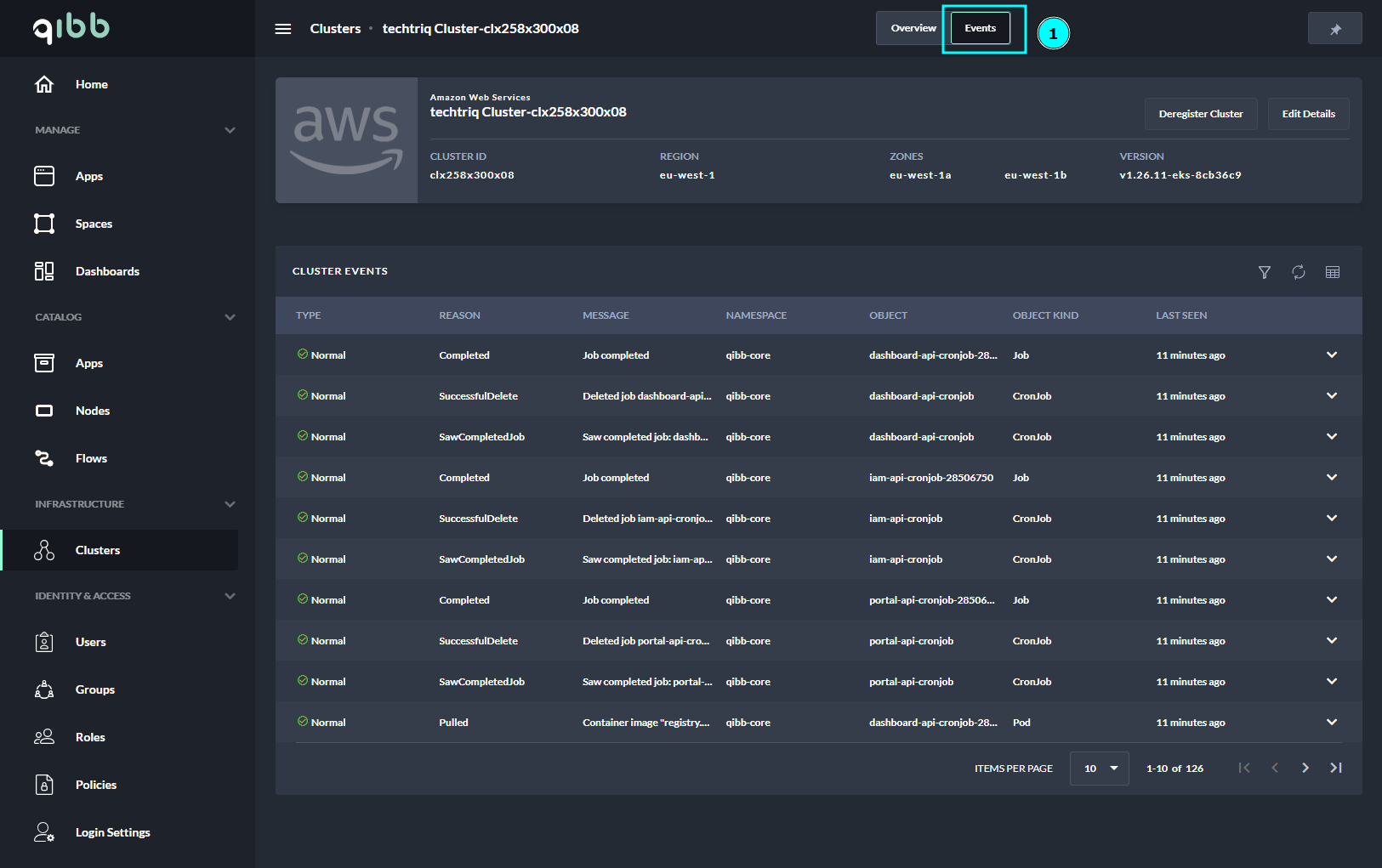
Events Overview Page
You will see all cluster events in the list on the Cluster Events table.
The filtering tools provide the necessary functionality to quickly search for errors, warnings, or other events.
Table of filter options and description:
|
Filter |
Description |
|---|---|
|
Keyword |
Filter by keyword. |
|
Type |
Select one of the two types of events. |
|
Normal |
Filter events by the type that has been defined as Normal. |
|
Warning |
Filter events by the type that has been defined as Warning. |
|
Kind |
Select from the list of kinds to which events have been reported.
|
|
Space |
Filter the events by the name of a space. Inside t Space filter, you can use the keyword filter as well to quickly search for the desired Space that you wish to have events inspected. |
Next Steps
Find out how you can edit and edit cluster details inside the platform.