

ULTIMATE
To inspect the cluster nodes, follow the steps below:
-
Navigate to Infrastructure → Clusters.
You will see a list of clusters on this platform that are involved in the qibb infrastructure.
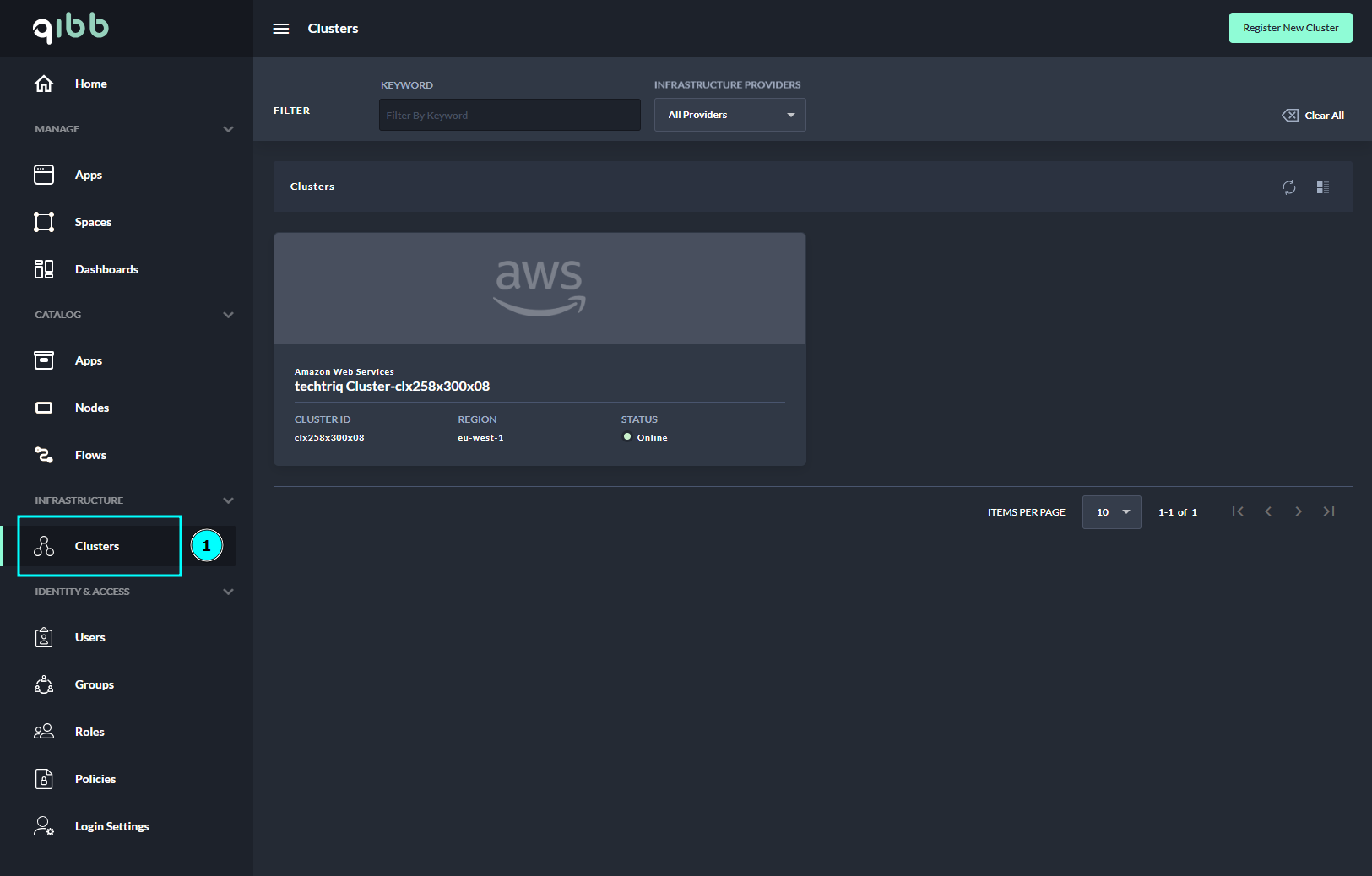
Table with cluster information and description
|
Cluster information |
Description |
|---|---|
|
Provider |
Name of the provider hosting the cluster. |
|
Name |
Name was given to the cluster. |
|
Cluster ID |
Unique identifier following the specific naming structure of the clusters. |
|
Region |
Specific geographical location where the cluster is located in the world. |
|
Zones |
Availability zone is isolated locations within data center regions from which public cloud providers originate and operate. |
|
Version |
Version of the Kubernetes management platform. |
|
Status |
Indicator for the current status of the cluster |
2. Select the cluster you want to inspect.
The platform can manage multiple clusters.
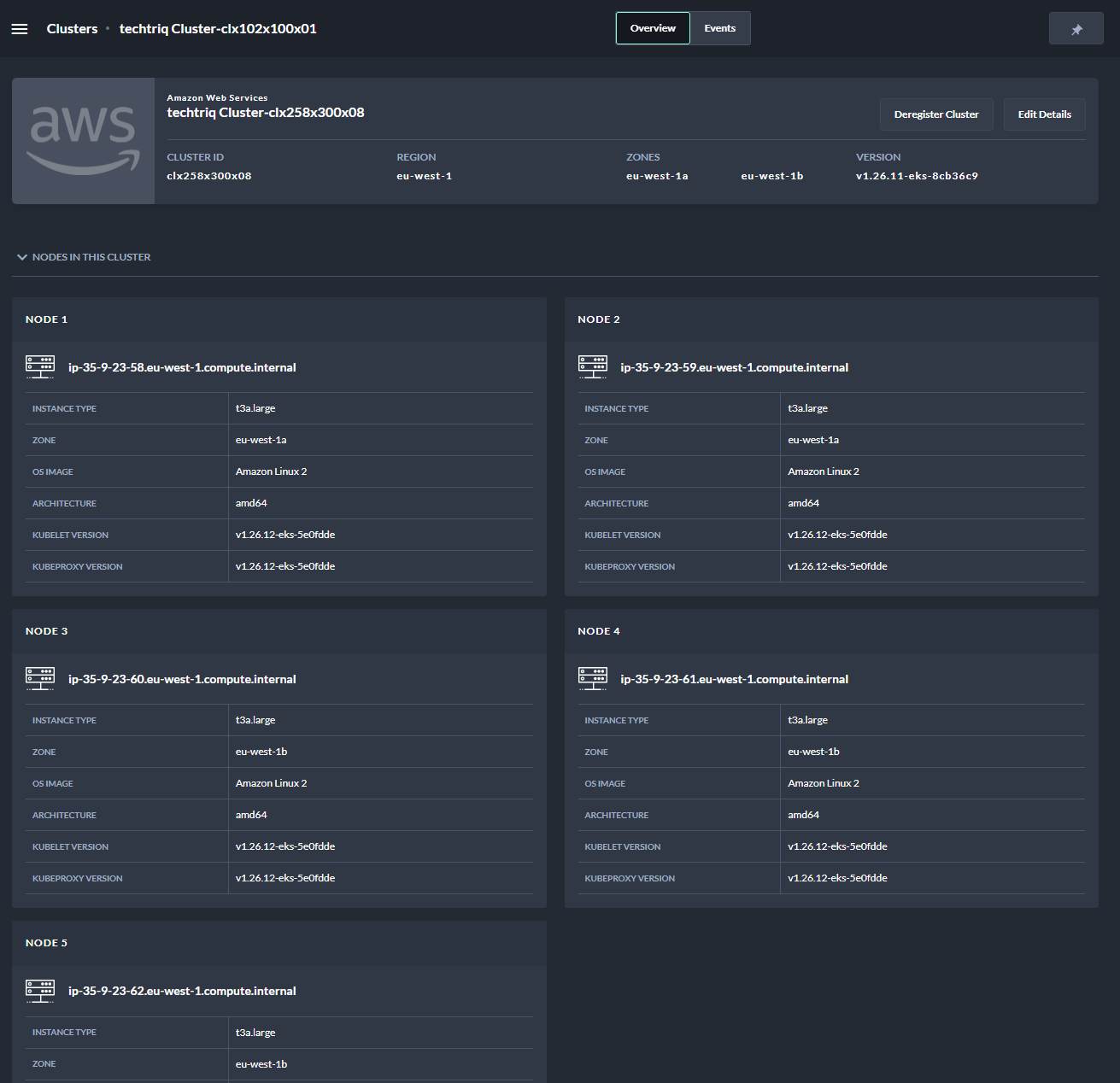
Table with node information and description
|
Node information |
Description |
|---|---|
|
Instance type |
Specific identification of virtual machine that has preconfigured resources (CPU, Memory, Storage) used as a node in the cluster. |
|
Zone |
Zones in which the node is located. |
|
OS Image |
Operational system image used to run the node. |
|
Architecture |
Architecture of the hardware that the operating system uses. |
|
Kublet version |
Kubernetes primary node agent. It registers the node with the API server based on a list of requirements. |
|
Kubeproxy version |
Kubernetes network proxy that exists on all nodes. It reflects the services defined in the Kubernetes API on each node and can perform simple networking functions. |
The platform provides inspections for different clusters, so the instance types change depending on the type for which the cluster is used.