

ULTIMATE
The deployed app can be removed by deleting the deployment.
You have two possibilities to delete an App - deleting the App from the Meatballs Action Menu, part of every App Card, or selecting an App and then using the Meatballs Action Menu inside the App Overview.
Deleting an App from the Meatballs Action Menu, part of the App Card
-
Navigate to the Apps.
-
Click on the Action Menu.
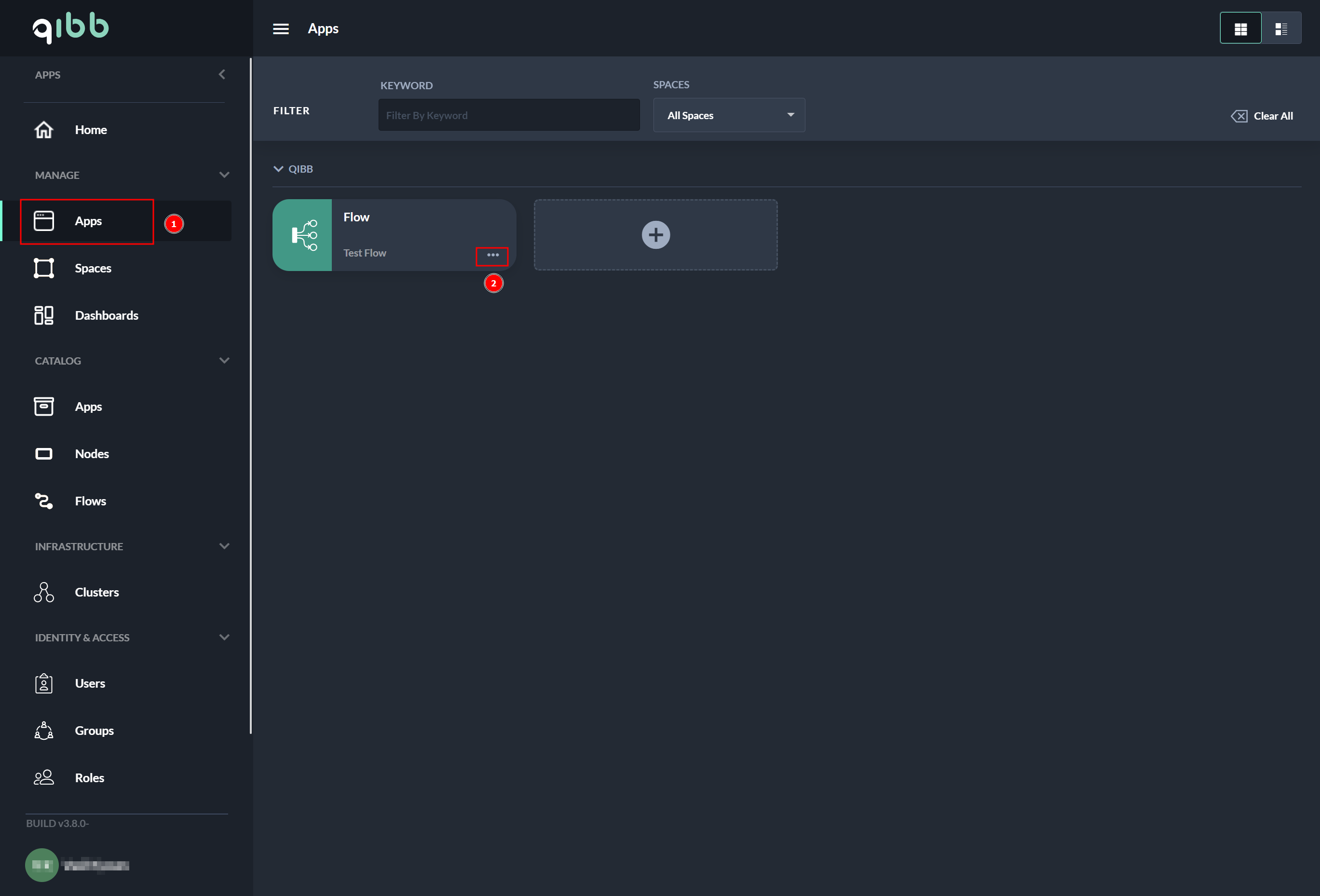
Action Menu, part of the App Card
-
Select Delete from the Action Menu.
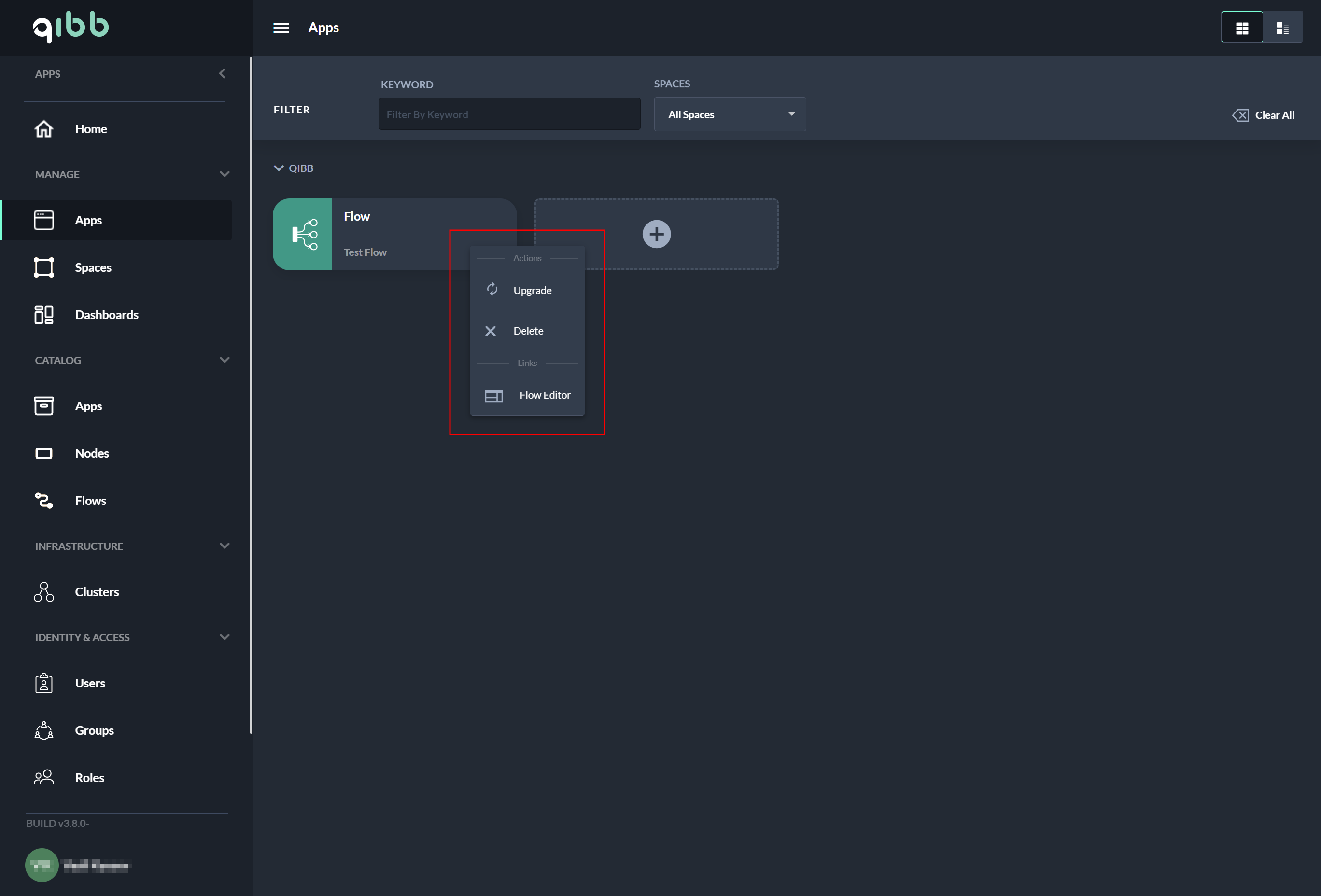
App Card Action Menu
Deleting an App from the App Overview
-
Navigate to the Apps.
-
Select the App that should be deleted.
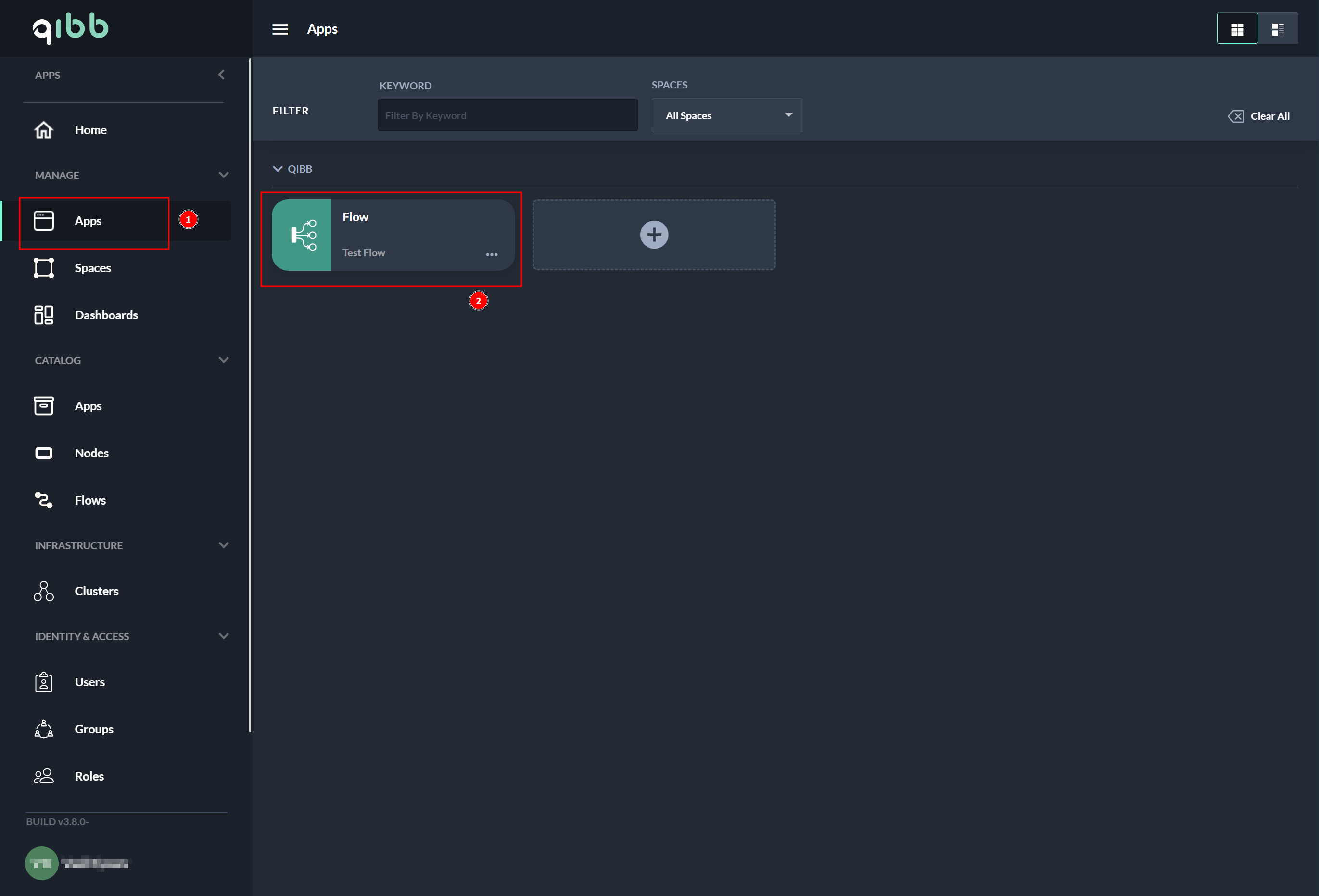
-
Select the Meatballs Action Menu.
-
The delete process is started by selecting Delete.
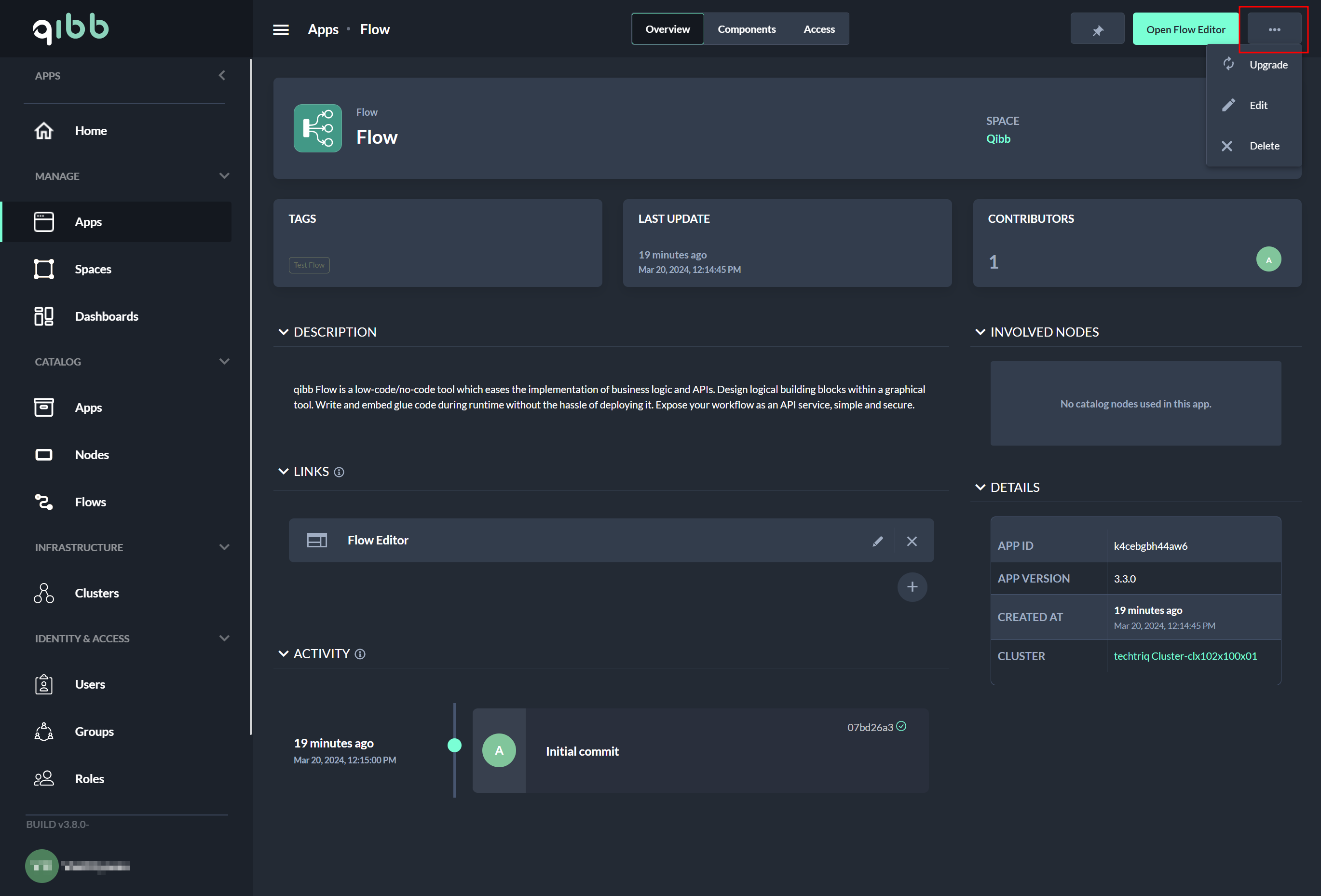
Common steps
-
Follow the delete dialog to delete the deployment.
-
The deletion process may take a few seconds.
You will be automatically navigated to the Apps page after deletion has finished. Verify if the app has been successfully deleted.