

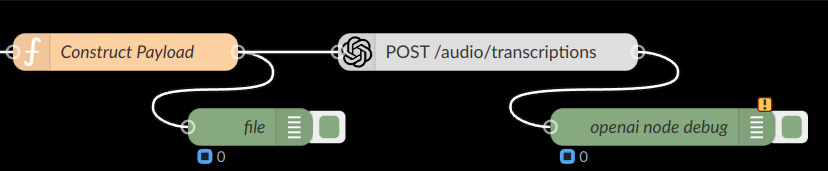
This guide illustrates how to use a Node-RED function node to construct a request payload for posting file content with the content type multipart/form-data.
Steps
-
Importing the File Module:
Ensure that the File module is accessible within your qibb environment. If it's not already available, you can import it using the following code snippet:
const File = global.get("File"); -
Converting the File Content:
Convert the file content into a Buffer object using the appropriate encoding. For example:
const fileBuffer = Buffer.from(myMp3, 'binary'); -
Specifying File Details:
Define the filename and file type for the file being uploaded:
const fileName = "blah.mp3"; const fileType = "audio/mp3"; -
Constructing the Payload:
Create the payload object with the file information using the
Fileconstructor:msg.payload = { "file": new File([fileBuffer], fileName, {type: fileType}) }; -
Returning the Message:
Assign the payload to the
msgobject and return it to proceed with further processing:return msg;
Example
Consider the following example flow where a function node is used to construct the request payload:
// Import File module
const File = global.get("File");
// Convert file content to Buffer
const fileBuffer = Buffer.from(myMp3, 'binary');
// Specify file details
const fileName = "blah.mp3";
const fileType = "audio/mp3";
// Construct payload
msg.payload = {
  "file": new File([fileBuffer], fileName, {type: fileType})
};
// Return the message
return msg;
This payload can then be used in subsequent nodes to post file content with the specified content type.