

To manage access to a deployed app, follow these steps:
-
Navigate to the app overview page for the app you want to manage.
-
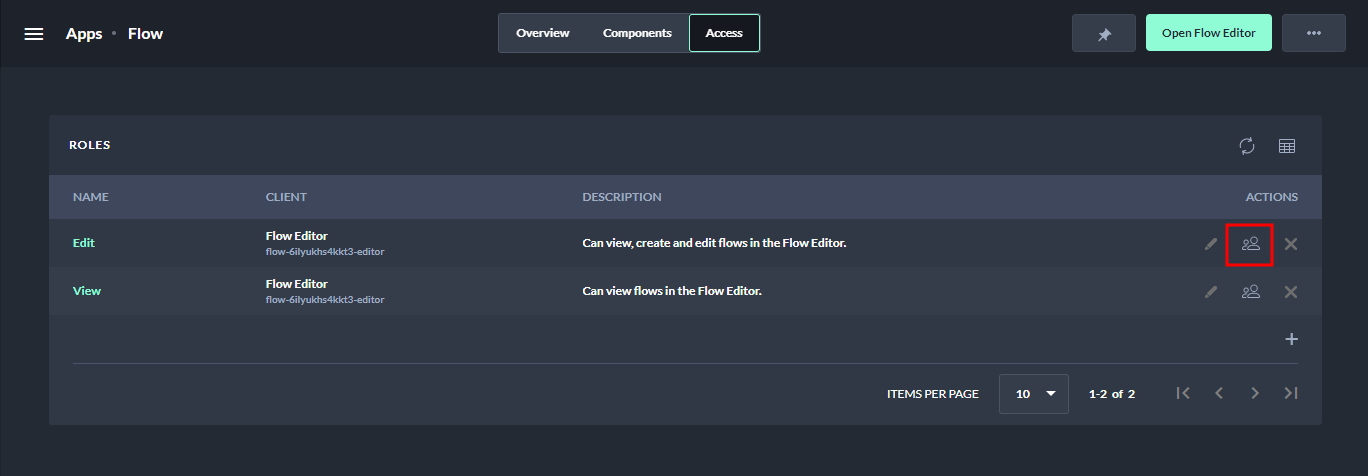
Select the Access tab.
-
Choose the Manage Members button for the role you want to assign.
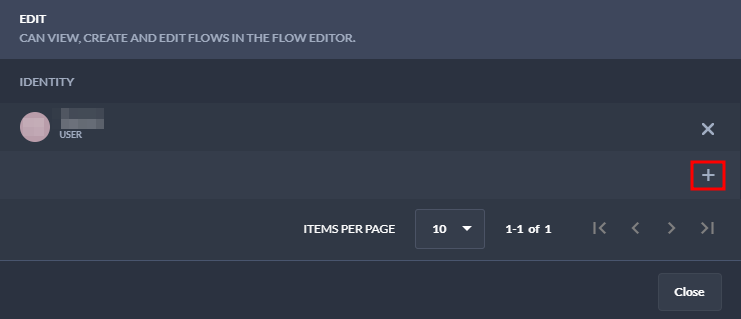
4. Select the + button to assign the role to a user or group.
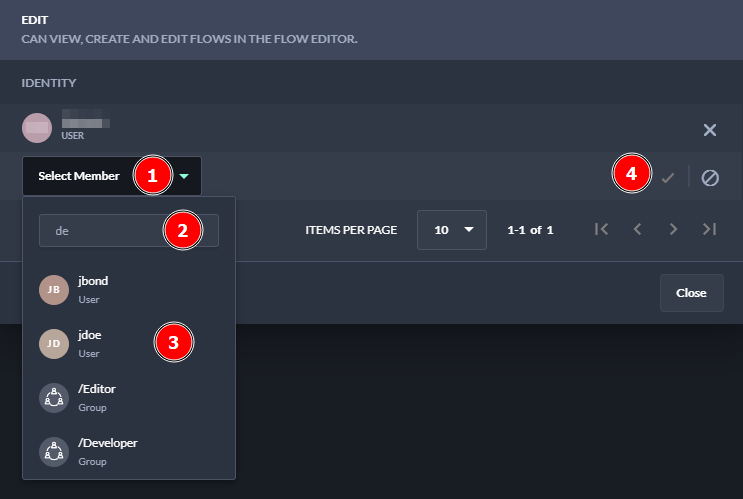
5. Choose a user or group from the dropdown and confirm your choice.
6. Close the Manage Members window.
By following these steps, you can manage access to your deployed app and ensure that only authorized users have access.