

To add a role to an app client, follow these steps:
-
Navigate to the app overview page for the app you want to manage.
-
Select the Access tab.
-
Select the + button at the bottom of the roles table to add a new role.
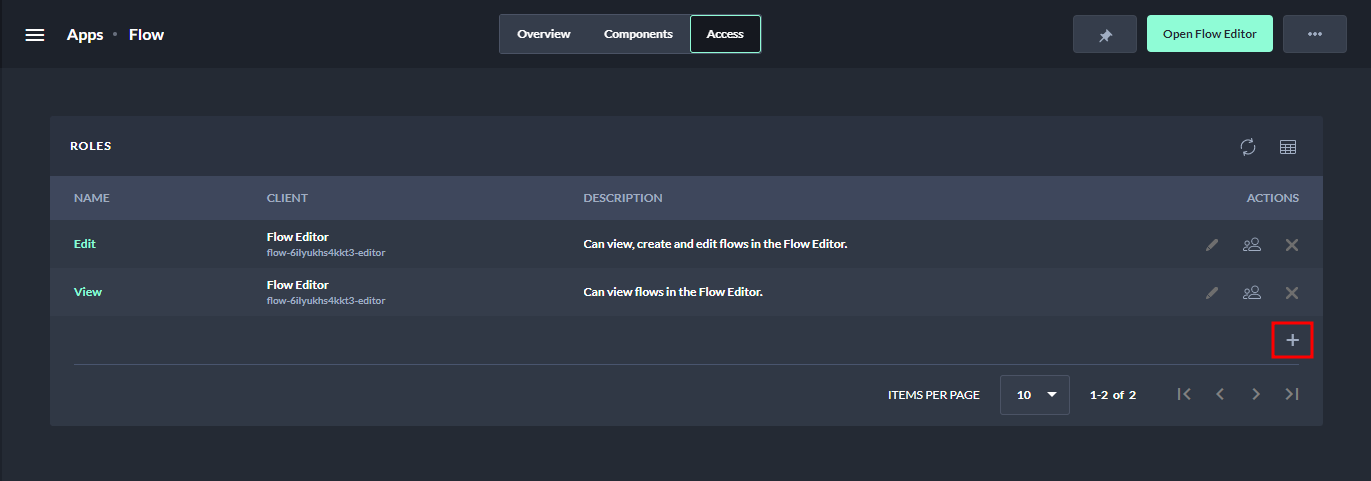
Add a client role -
Fill in the required information in the Create Role form, including the client, name, and description.
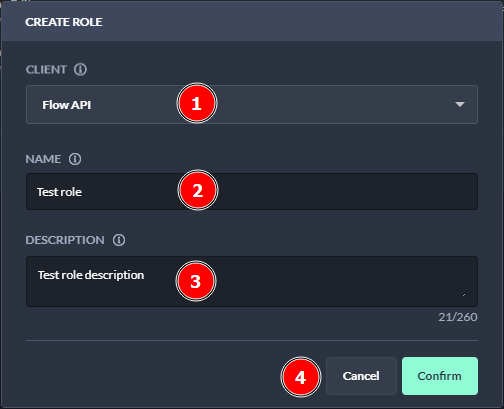
Add a client role window -
Select Confirm to create the new role.
-
The newly created role is now ready to be used.
By adding a role to an app client, you can define specific access permissions for users and groups.
Next Steps
If you want to manage members of the newly created role click on Manage members of a role.