

ULTIMATE
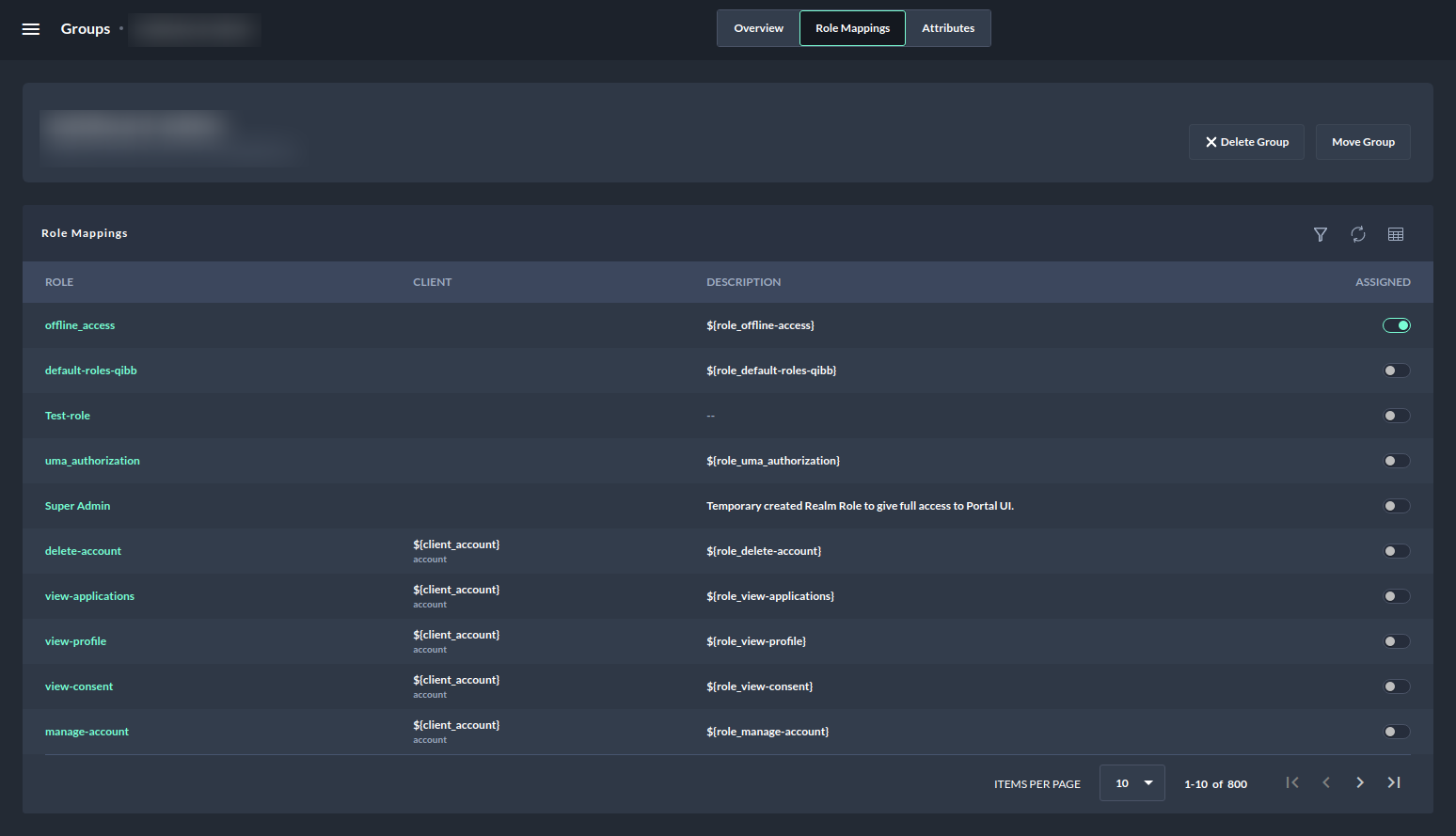
Group role mappings list all roles which are assigned or not assigned to a particular group in the table layout.
Filters
The group role mappings view offers a possibility to filter by search keyword and by the client.

-
Search by keyword works like any other search functionality it only matches the exact keywords.
-
Filter by client lists the first five clients as a dropdown and offers the option to search for additional clients by client name.
-
It allows filtering based on a single client or multiple clients.
-
The result contains only the roles of the matching clients.
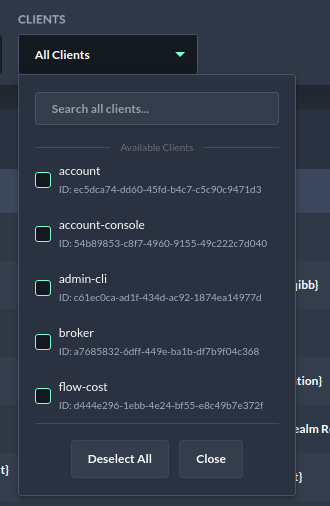
Browsing group role mappings - Search all clients -
The clear all button can be used to clear the applied filters.
Sorting
The group role mappings table also provides a possibility to sort columns in ascending or descending order.
The following columns are sortable:
-
Role
-
Client
-
Description
Assigned Action
Role Mappings table has an Assigned column that lists all assigned, not assigned, and effective roles of a group.
|
Toggle Button |
Explanation |
|---|---|

|
|

|
|

|
|
Next Steps
As a next step, you may want to assign roles to a group.