

ULTIMATE
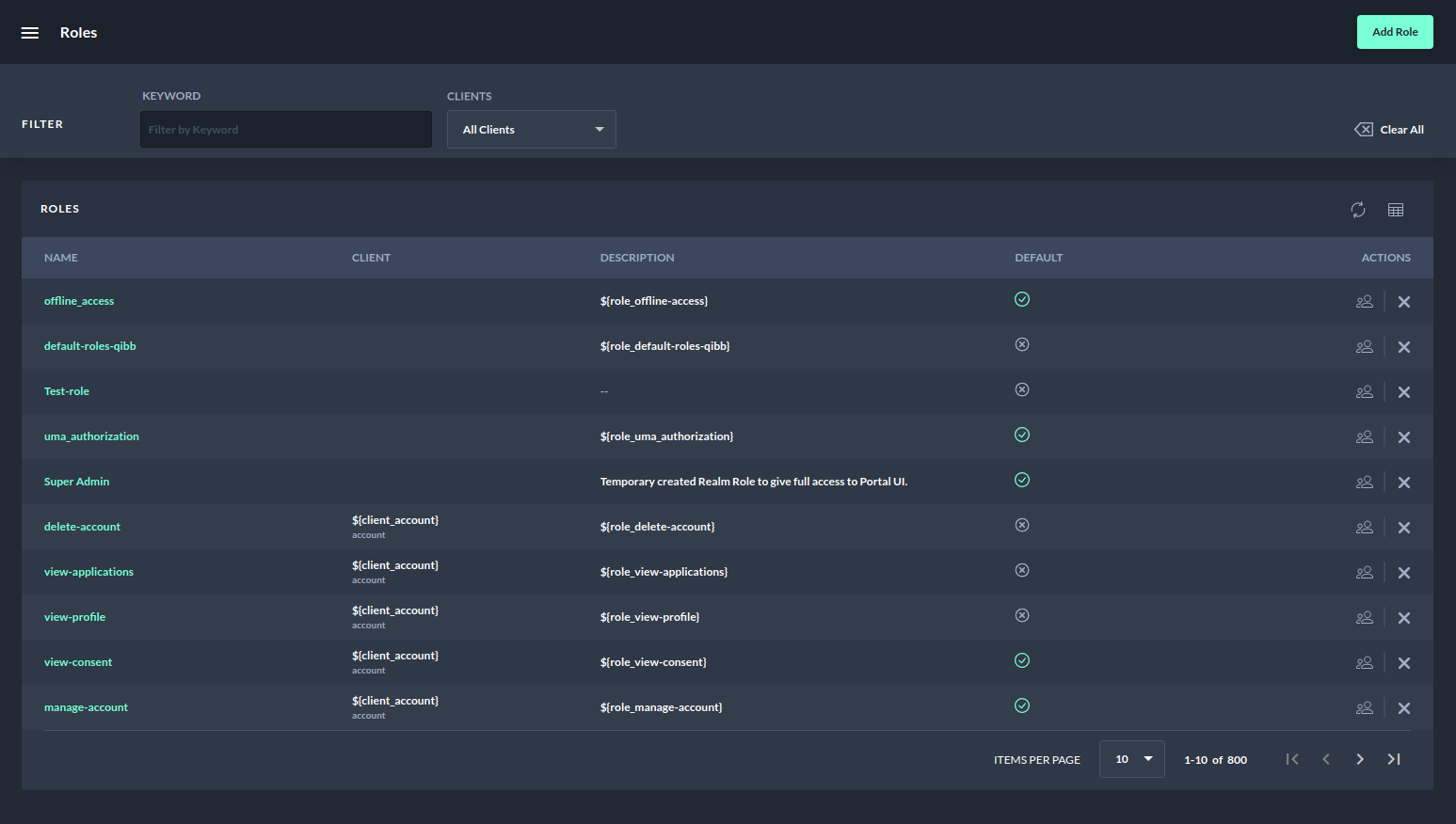
The Roles page lists all the realm and client roles that a user has access to in a table layout.
Filters
The roles page offers the possibility to filter by search keyword and by the client.
-
Search by keyword works like any other search functionality it only matches the exact keywords.
-
Filter by the client shows the first five clients as a dropdown and gives a possibility to search other clients by client name.
-
It allows filtering based on a single client or multiple clients.
-
The result will only include the roles of the matched clients.
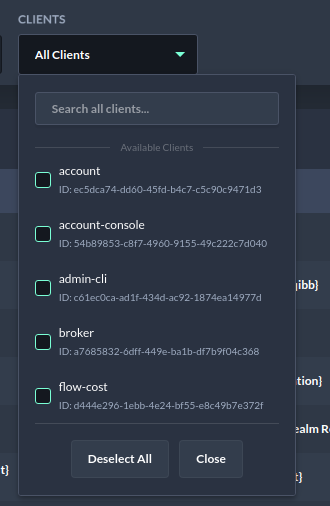
Browsing Roles - Search all clients -
The "Clear All" button can be used to delete all applied filters.
Sorting
The roles table offers the possibility to sort columns in ascending or descending order.
The following columns are sortable:
-
Name
-
Client
-
Description and
-
Default
Actions
The “Roles” table contains a column “Actions”, which are applicable to the roles
-
Manage Member
-
The "Manage members" action provides easy access to the management of members of a role where members can be assigned and removed from the role.
-
-
Delete Role
-
To delete a role the action "Delete" must be executed.
-