

ULTIMATE
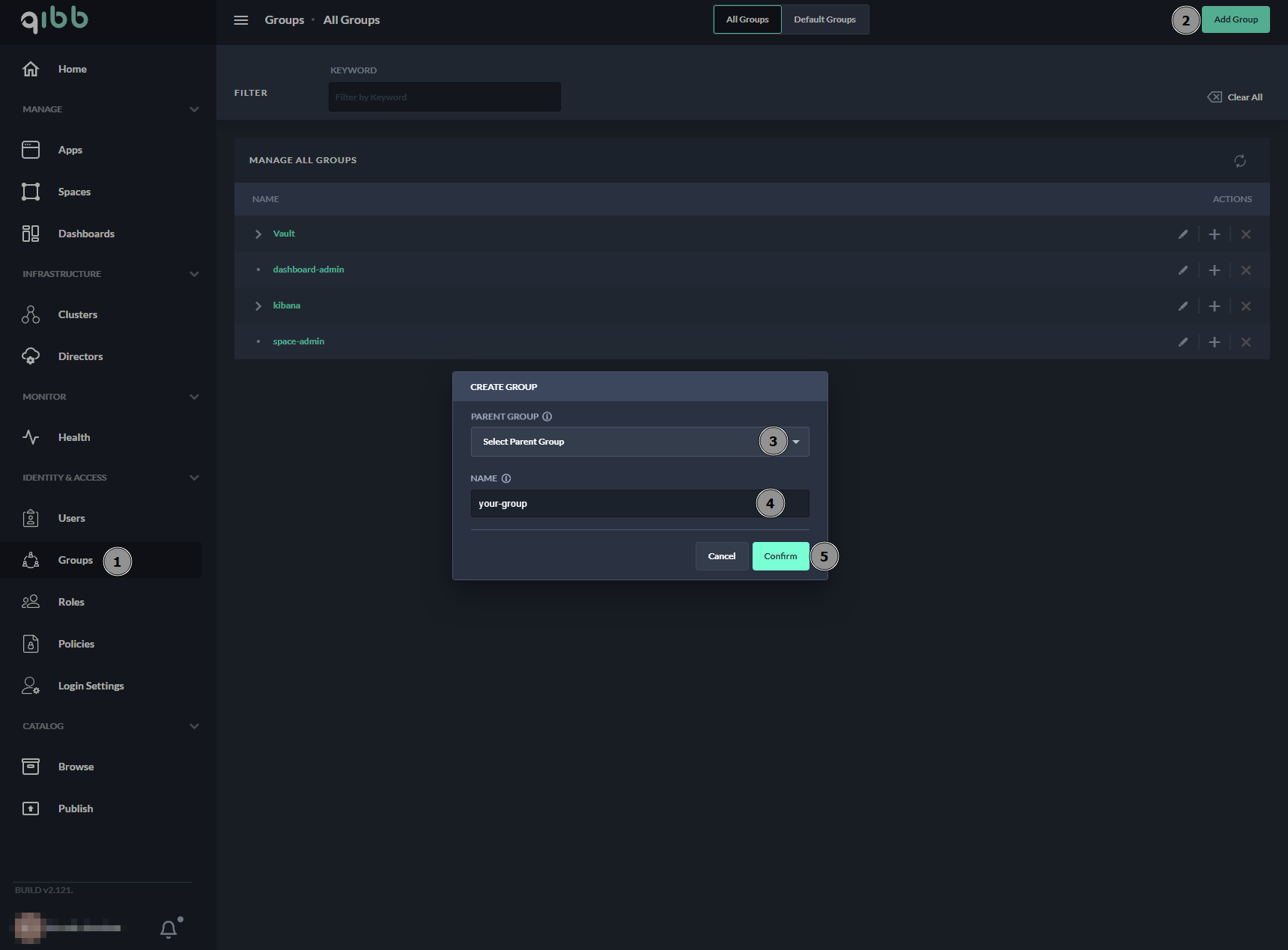
To create a new group, the following steps are required:
-
Navigate to Groups in the portal
-
Select Add Group at the top right corner or the “+” sign in the group’s list
-
Select the parent directory for the group from the drop-down list
-
Fill in the required input fields in the form.
-
Press Confirm.
Next Steps
In the next step, you can browse the group that was created as well as manage users.