

ULTIMATE
There are several ways to move the group in the tree.
-
Find a group, click on it, hold down the left mouse button, drag it around and release the mouse button to assign it to the group.
Confirm the assignment in a pop-up message.

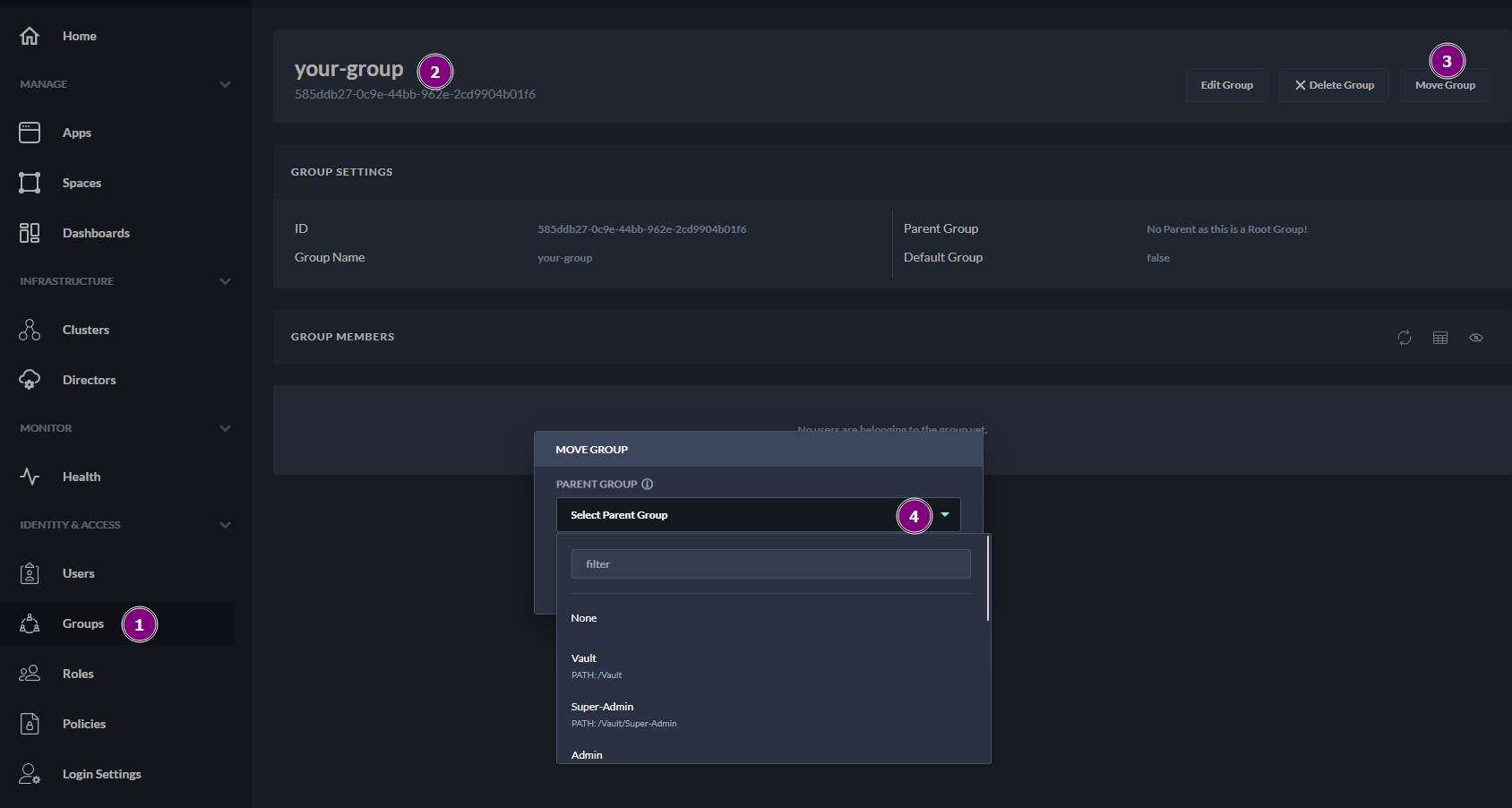
2. A second option is to search for a group in the group list and manually assign it to the parent directory
-
Navigate to Groups
-
Locate the group to be assigned to the new group
-
Click on the name of it
-
Then select Move Group
-
In the pop-up window, find the parent group to which the group should be assigned.
The filter option can be used to find the group name in the list.
-
Select Confirm to finalize the changes.
Next Steps
Now you can add users to a group and manage members of the group