

ULTIMATE
To assign a group to a user, the following steps are required:
-
Navigate to the Users page.
-
The user, which should be added to a group, can be found using the list or with the help of the filter function.
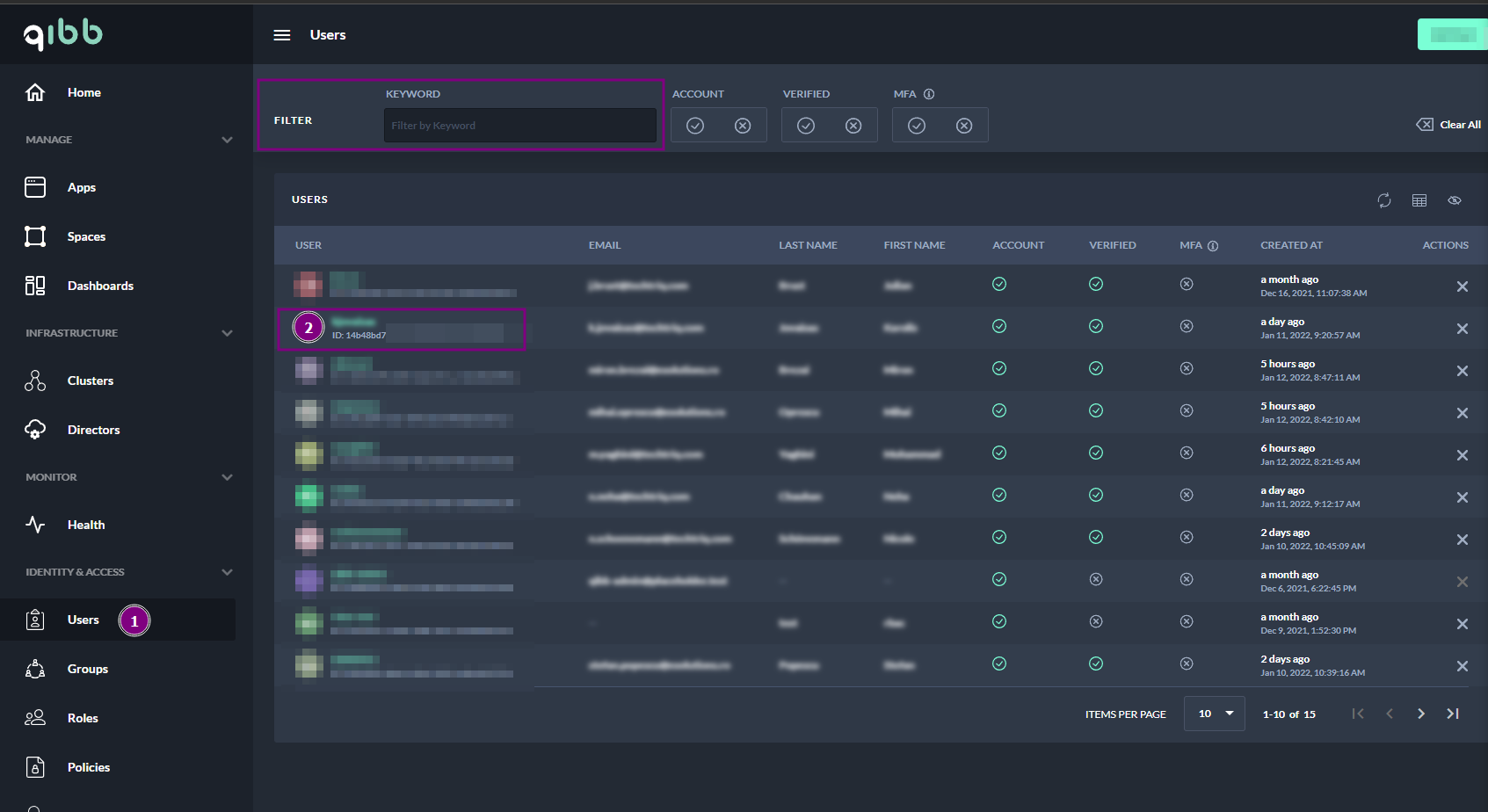
Adding a user to a group - Find a user in the Users list -
Select the user
-
Navigate to the top of the web browser and select Groups from the tabs as indicated in the image
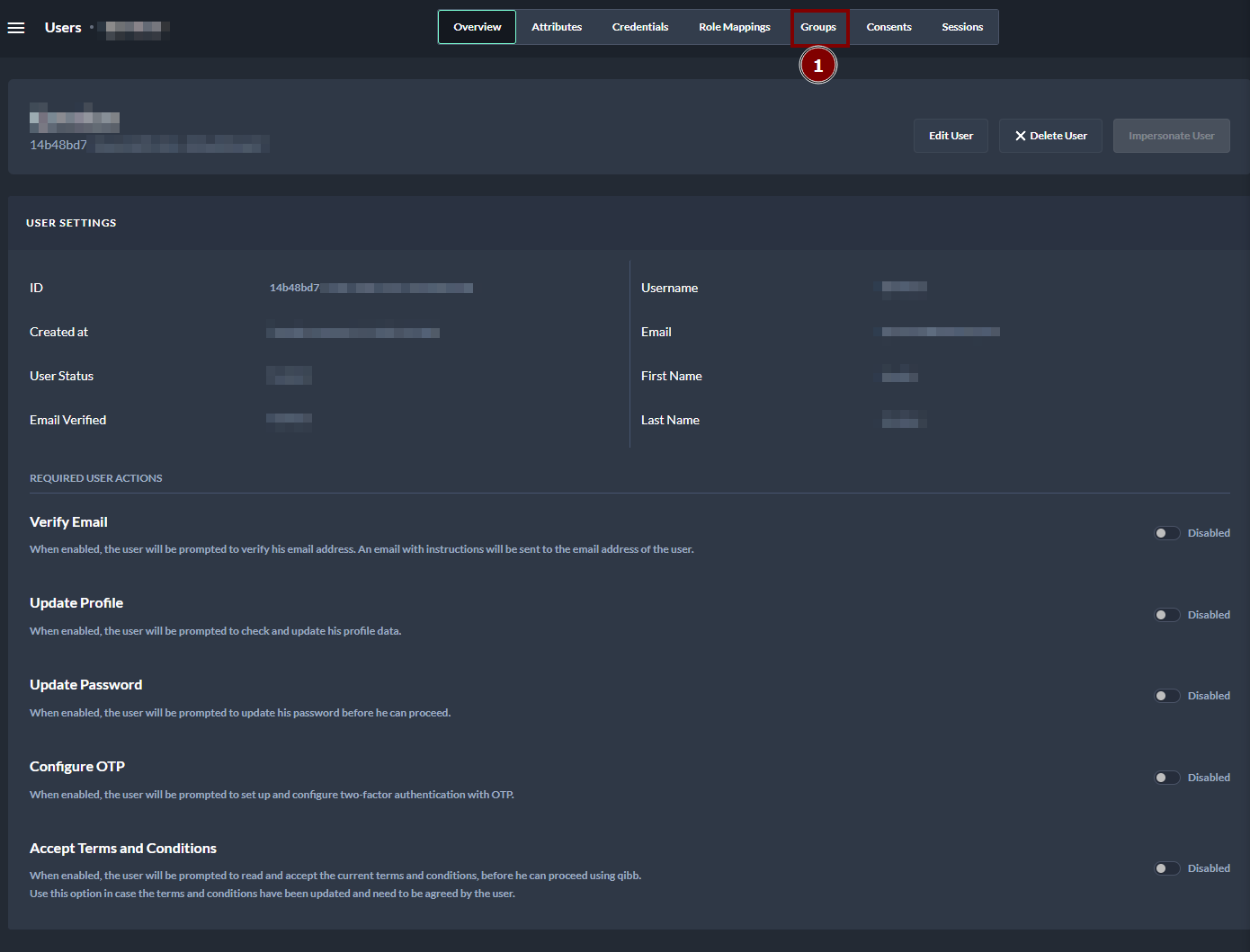
Adding users to a group - User dashboard
-
Search for a specific group from the list of available groups via the table or using the filter
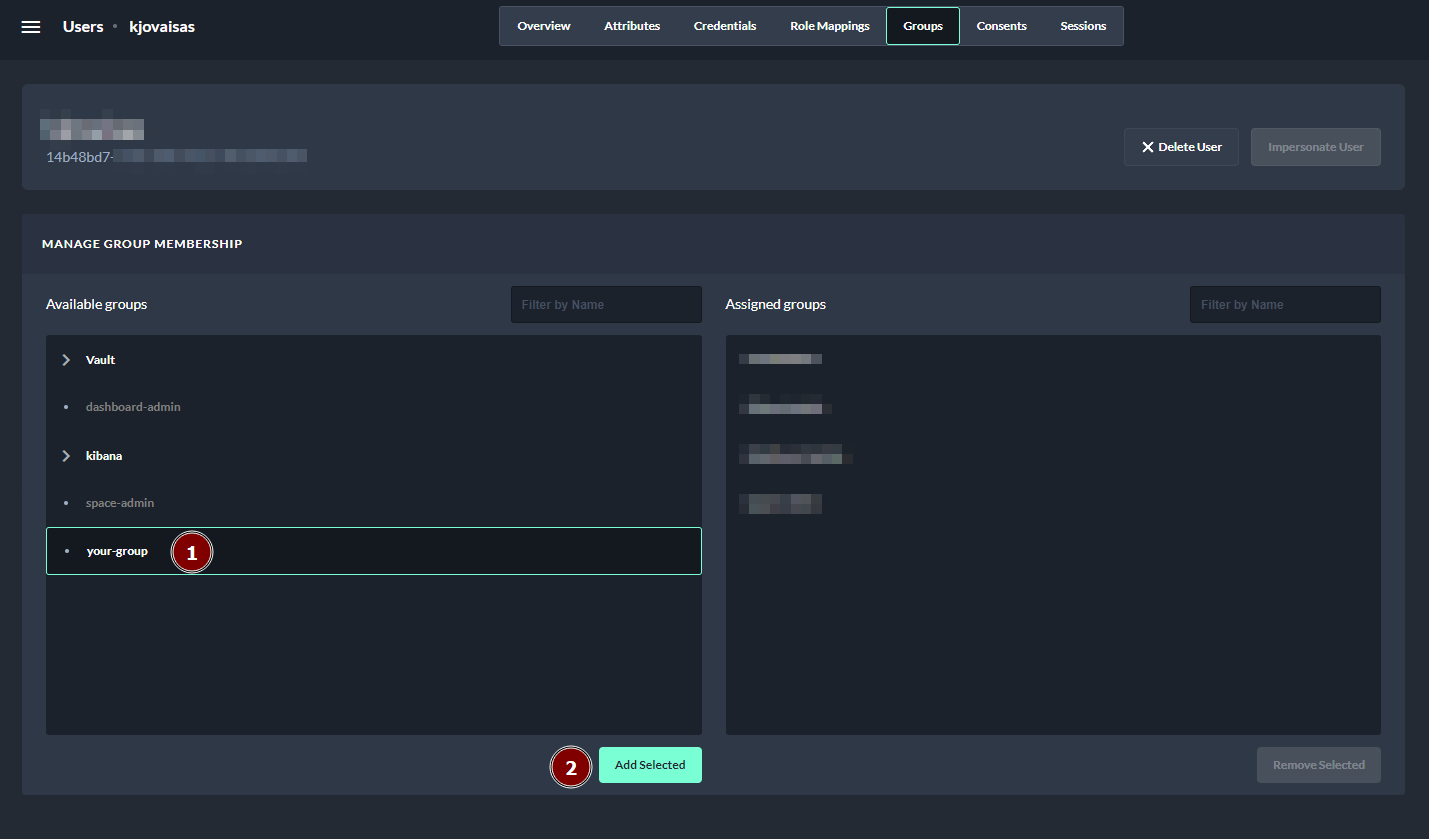
Adding a user to a group - Assigning a group to the user
-
Select the group and click Add Selected
The user should now be visible in the group as assigned and inherit all permissions assigned to the group.
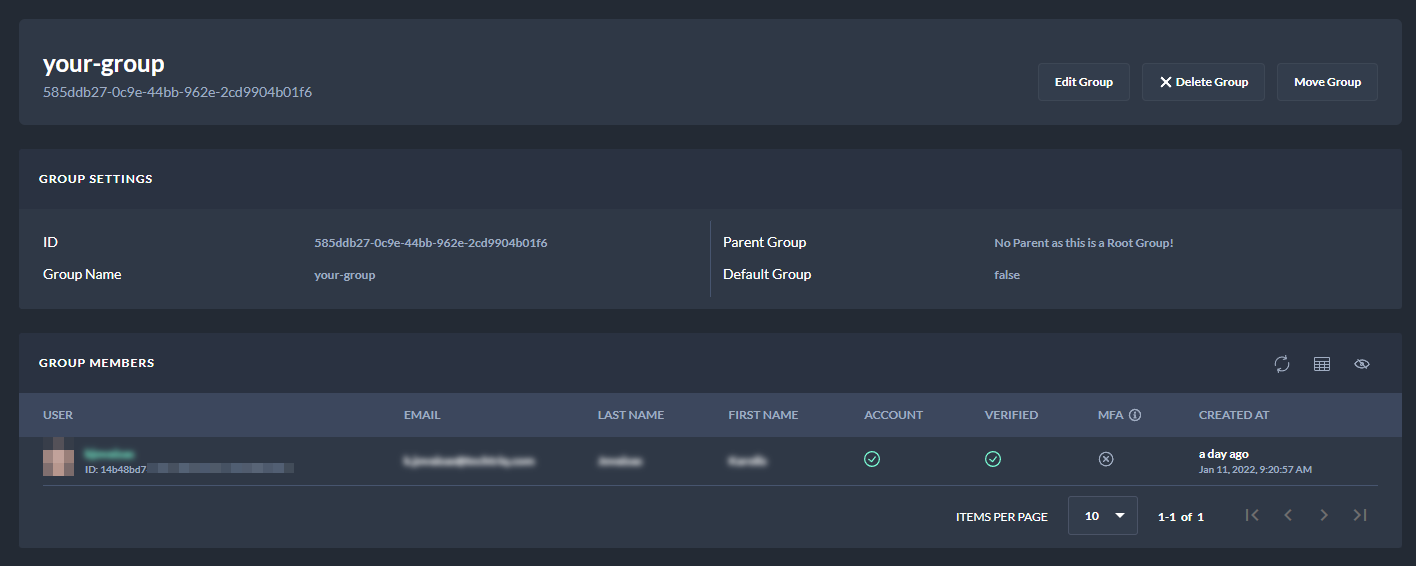
Alternative ways to manage the user's roles and permissions when no group has been set up can be found here:
Next Steps
Now you can manage members of the group and move the group within the tree if you wish to inherit more permissions.