

ULTIMATE
The following steps are required to manage the members of a group:
-
Navigate and select Groups in the navigation sidebar
-
Locate the Manage Members button for the desired group
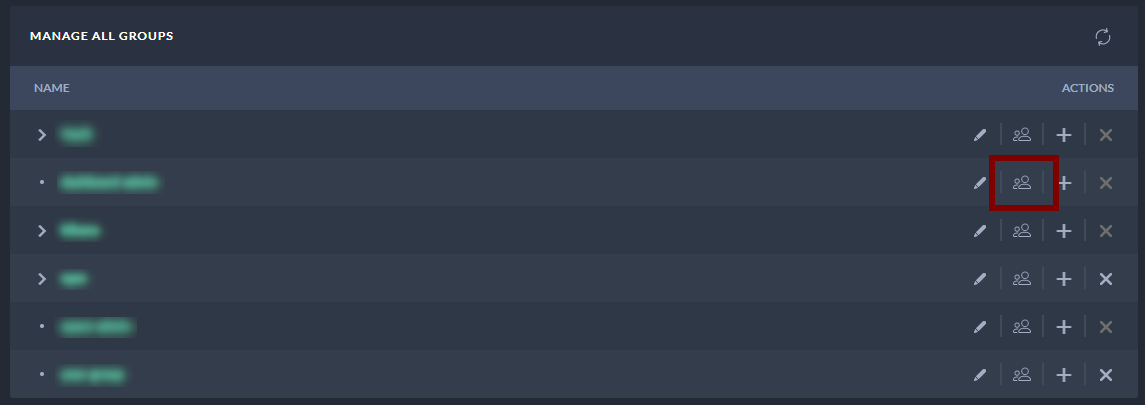
Groups table - Navigate to Manage Members
-
After selecting the Manage Members button, a new window will open.
-
To add a new member to the group, select the plus button at the end of the list with members.
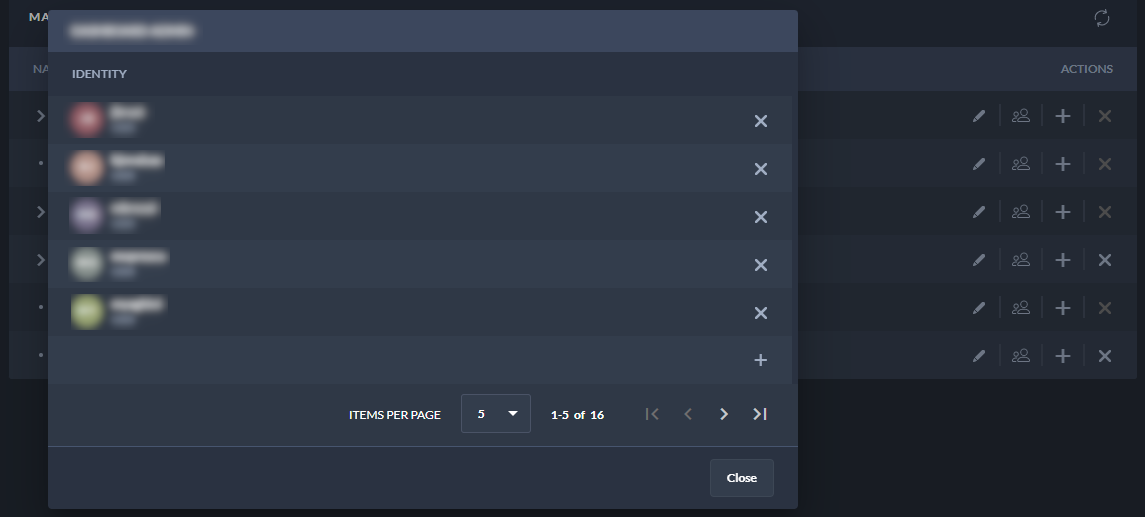
Manage Members of a Group Window
-
After selecting the plus button, you can add a member by selecting it from the drop-down menu and then confirming it.
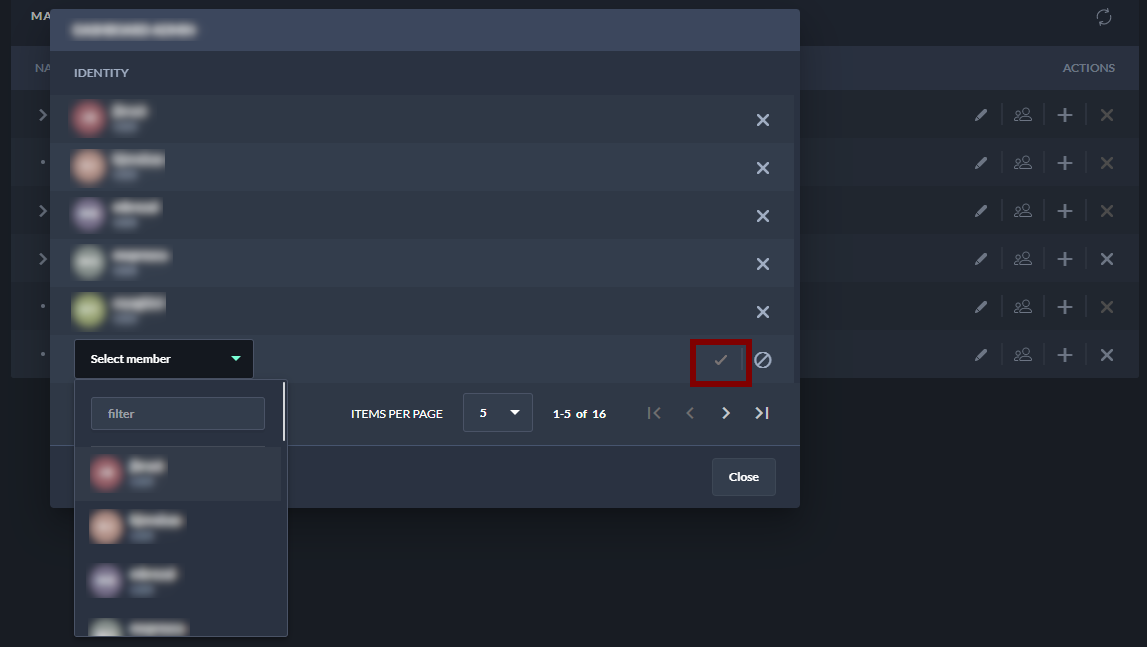
Manage Members of a Group Window - Add a Member
-
Use the delete button to delete a member
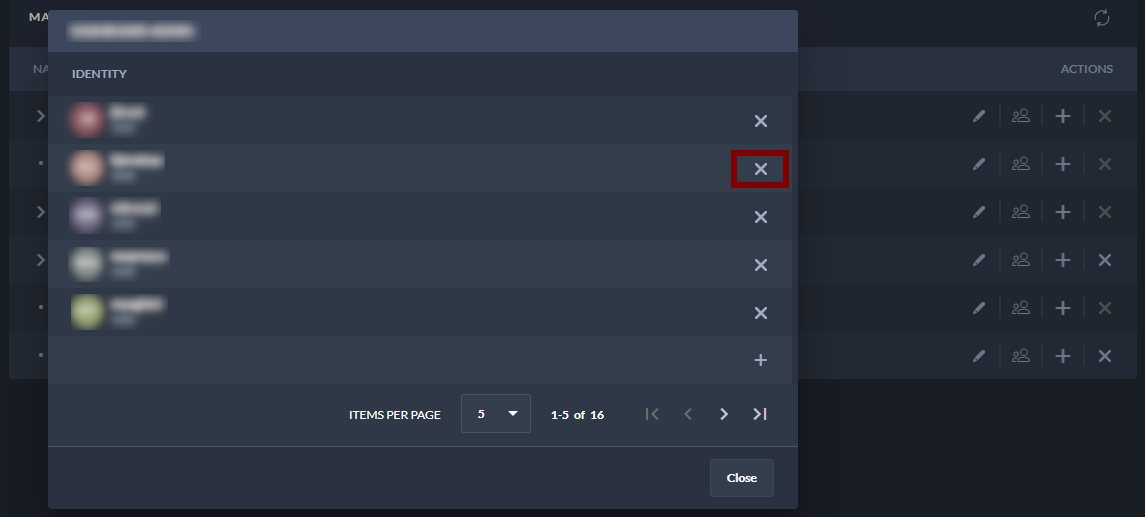
Manage Members of a Group Window - Delete a Member
-
Use the given navigation to navigate through the pages with group members.
-
The group member functionality is also available on the Groups Overview page:
-
Navigate and select Groups in the navigation sidebar
-
Select the respective group and click on it to open the Group Overview.
-
Locate the Manage Members button.
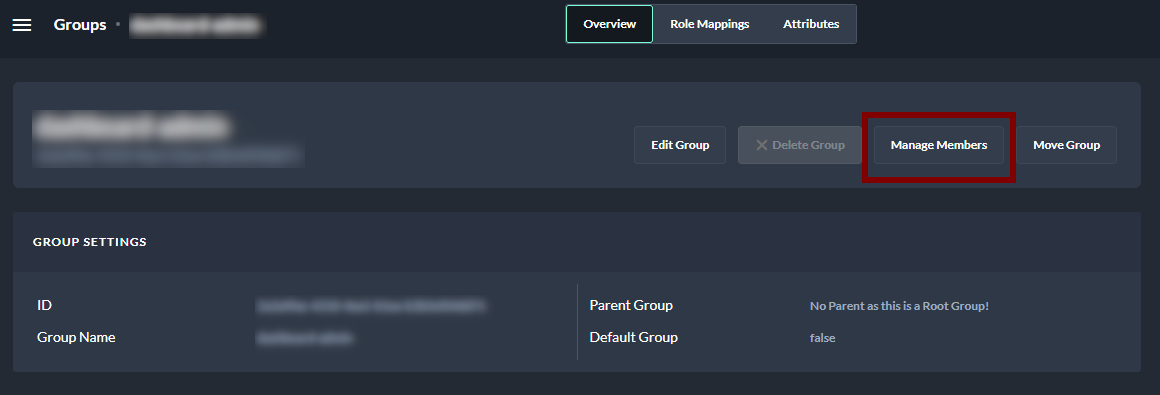
Group Overview - Manage Members